
Questions
Question
My licence has expired. Why am I still being blocked?
Answer
The automatic GamBlock® licence expiry process is continually tested by independent Microsoft Certified Professionals and CompTIA A+ Certified Computer Technicians (Wintel Hardware and Microsoft Windows operating systems) and functions correctly on any Microsoft Windows operating system that is not infected with viruses, spyware or adware.

If the window below has not been displayed recently, then GamBlock® Refresh has not been permitted to contact our servers.
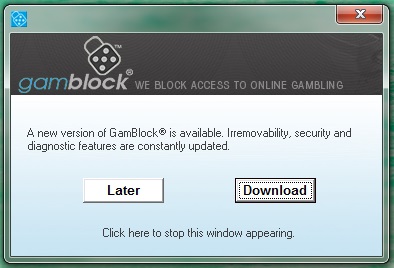
To verify that GamBlock® Refresh is being permitted to update GamBlock®, ensure that version is displayed when a site is blocked. Check Now can also be used at anytime. The instructions on our Prepare Your PC page and on our pre purchase page under the heading "To get the most from GamBlock®" must be followed in order for a licence to expire automatically.
GamBlock® expires automatically after a licence period has ended, provided GamBlock® is registered and GamBlock® Refresh is permitted to contact our servers. GamBlock® Refresh must be permitted through the firewall where a third party firewall is in use, otherwise no action is required.
Some firewall/security suites offer preconfigured firewall settings to help protect users from crimeware without constantly displaying alerts. Norton 2007 for example, allows the digitally signed GamBlock® Refresh to contact our servers with no action required by the user. Some third party firewall/security suites are configured incorrectly, which in turn prevents anti-virus or other software from functioning correctly. If this is the case, the third party firewall/security suite will need to be temporarily uninstalled.
Open Control Panel.

Select "Programs" ("Add or Remove Programs" in older version of Windows) and then "Uninstall a program", which will be underlined when you hover over it.

Right-click on the firewall and/or security suite in in question and then left-click on the "Uninstall/Change" window that appears.
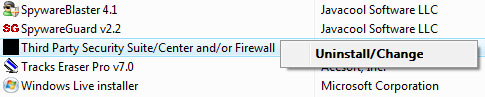
Select "Continue".

Restart the computer and GamBlock® Refresh will contact our servers.
Please Note: GamBlock® Refresh must be permitted through the firewall during a licence period in order to keep GamBlock® updated.