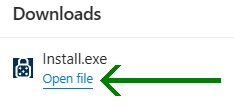
1)
Please click here, choose "Run" (rather than "Save") when prompted.
2)
a)
Select "Open file" once only and be patient. It can take a while for installation to complete.
b)
GamBlock® has been helping people since 2000 and is continually tested by independent Microsoft Certified Professionals.

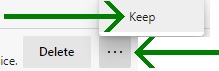
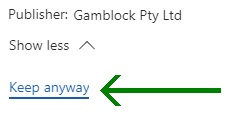
All files are sent to Microsoft for approval. Occasionally, when we update our digital signature, Microsoft SmartScreen may display, "...this app is not commonly downloaded...". This is because our digital signature has been updated and the app is new in its latest form. Select the three dots menu, "Keep" and "Keep anyway".
3)
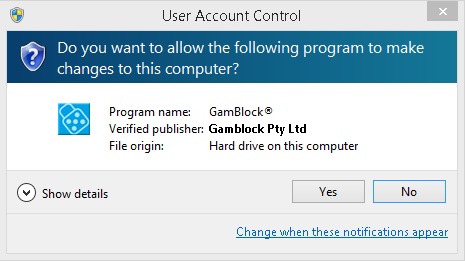
Click "Yes".
4)
a)
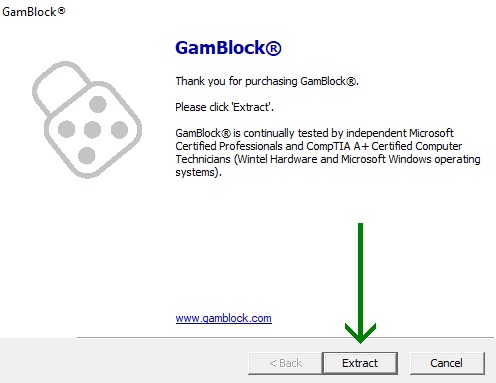
Select "Extract".
b)
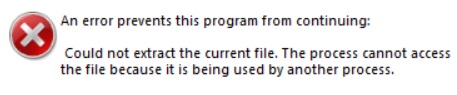
If "An error prevents this program from continuing…" is displayed, this means the installer has been run twice. Restart the computer and run the installer only once.
5)
Follow the prompts.
6)
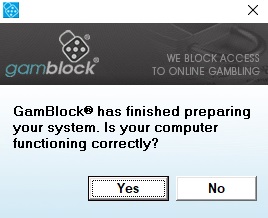
This step is imperative. After a while, if your system is functioning correctly, select "Yes".
Don't hesitate to contact us if you need assistance.